37Signals
I’m a big fan of 37Signals. They have killer products, which include Basecamp (a collaborative project management system which I’ve used with my team for 2 years), Backpack (a space where you can create your to-do lists, gather ideas, notes, files… online. Also collaborative.) – I used this as my GTD system for awhile, Campfire (Instant group chat) which is great for remote teams and can integrate with Basecamp. Their next release is a CMS product named Highrise (coming soon!).
37Signals also has a very active blog, Signals vs Noise, which talks about their products and the industry at large. It’s one of my (endless) feeds that I read each day and one that always gives me something to add to my del.icio.us account.
I started using Basecamp at the urging of one of my Art Directors. My team was growing quickly and we needed to implement a more robust project management system. It fit our bill for a number of reasons:
> Functions as an Internal and/or Client Extranet
> Schedules Milestones and ToDos by Team member
> All interaction tracked by project and email
> Tracks time
> File sharing
It really gave order to chaos pretty quickly and as they have pretty flexible pricing plans, our Basecamp was able to grow as we did (during this time frame – 2 years – we grew from 2 people to 12). We’ve tried to implement other agency-wide systems with no success. Great flexibility, great price, great product.
The other product I’ve used from 37Signals for the last year is Backpack. To me is a more personalized productivity tool.
Features:
> Makes ToDo lists
> Adds Photos
> Set reminders
> Keep a calendar
> Send email to Backpack
> Tag Pages
> Keep it private or share!
> Plays well with email
> Send alerts to your cell phone
After I read Patrick Rhone’s great article (listed below) I started implementing GTD on my Backpack system. I made a page called “Inbox” where everything was dumped and then created pages for each of my actions (@calls, @email, @work, @mac, etc.) and then individual project pages. The project pages were shared between team members and I could also send items back to my computer to integrate with Basecamp.
While this has turned out to not be my GTD system of choice, I still like the product and still use it. Again, flexible payment plans, great flexibility, great price, great product.
Links I’ve found useful for Backpack GTD:
> What’s the Next Action
> GTBackpacked
> Backpack: New GTD Implementation Ideas by Patrick Rhone
> Packrat – a Mac Widget
HawkWings.net – Getting Things Done with Mail and iCal
Tim Gaden’s HawkWings, is a blog featuring Apple’s Mail.app and is, besides 43Folders, a leading resource on GTD. He has a great post today on Getting Things Done with Mail and iCal.
What’s great about Tim’s post is that he lists several links for people who are just getting started with GTD and might be confused on where to begin – or maybe for those of us who need a refresher!
Comments Off on HawkWings.net – Getting Things Done with Mail and iCal
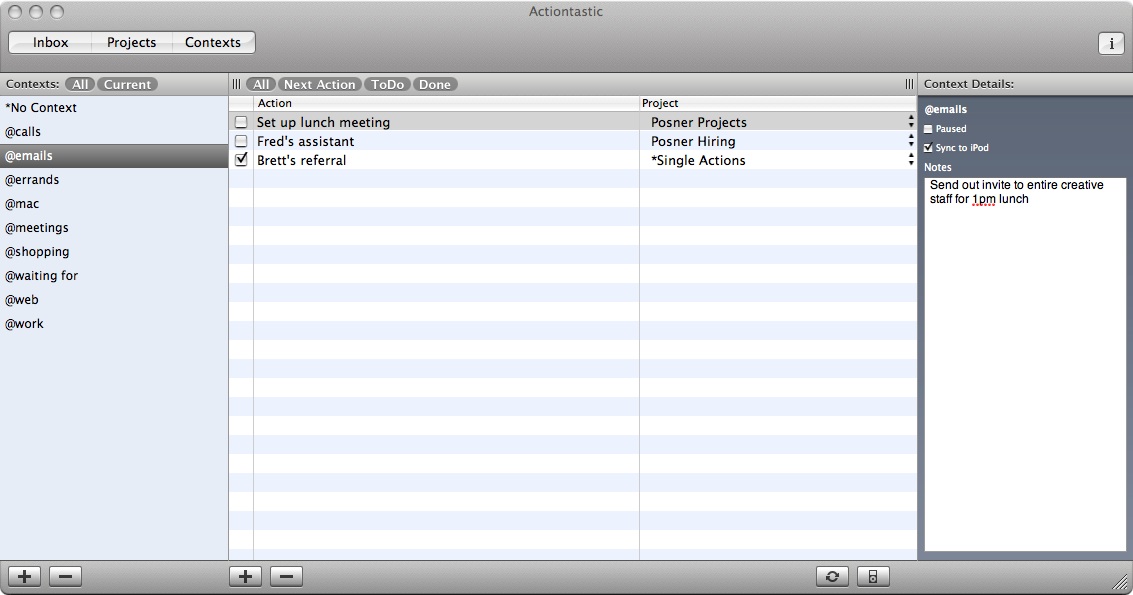
Actiontastic screenshots
I’m enjoying my experience with Actiontastic. Here are some screenshots of my process – feel free to comment with any questions.
First the Inbox – this is where I dump everything I need to get done:

Second: This is how I process the Inbox: daily – 1st thing, noon and before I leave for home.

Third: The Projects Window:
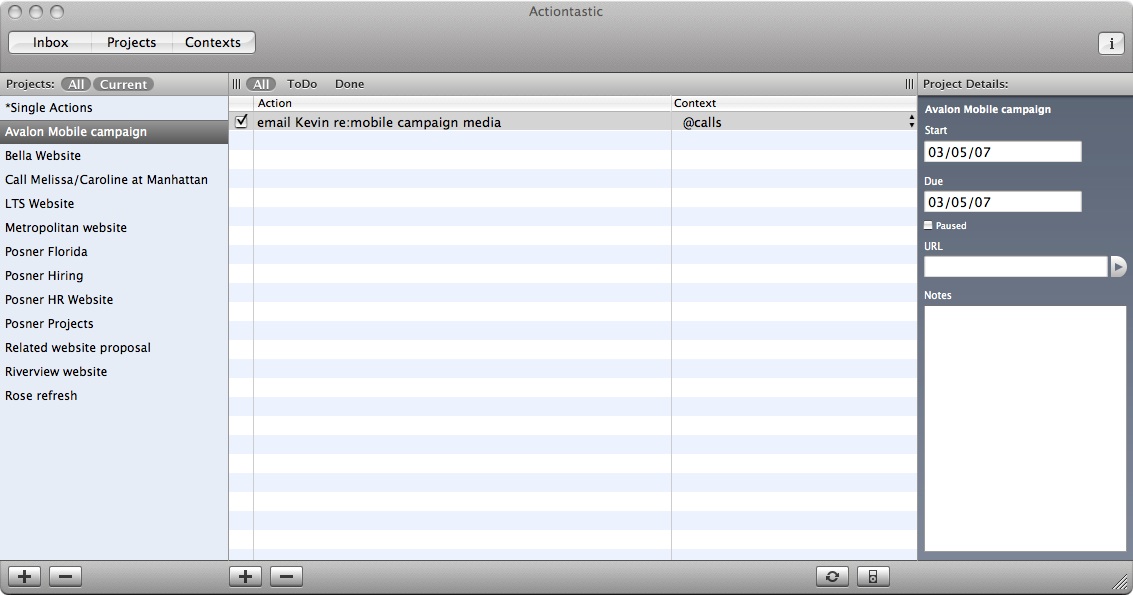
Last (For now): The Contexts Screen:
Comments Off on Actiontastic screenshots
Actiontastic
Actiontastic is a beta application that is a beautifully clean GTD application. In a market where much of the competition is feature/interface bloated, Actiontastic brings a refreshingly simple take on GTD.
Features:
> Clean interface
> Comes with preloaded contexts
> Syncs with iCal
> Smart-text Quicksilver integration
> The developer is accessible and really pays attention to comments/requests
> Integration with Mail.app and MailTags
I’ve been using this app for a few months and have really b een impressed. It seems to flow easily and lets me work without concentrating on the actual process. Perfect. The new smart text QS upgrade/MailTags integration has taken this app up to another level.
Comments Off on Actiontastic
Next Actions
I’m in the middle of trying to set up a successful GTD (Getting Things Done) system on my MacBook Pro – and I thought that this journey might be of interest and help to others. So, I’ve started this blog
In the last few months I’ve tried a number of established and Beta systems, including:
@ Midnight Inbox
@ Yojimbo
@ SOHONotes
@ DEVONthink Pro
@ KinklessGTD
@ VooDooPad Pro
@ and more
In the coming weeks I’ll be going through each of my experiences with these systems, as well as adding helpful links and resources for each that I found while I was using them.


 Setting Contexts
2 comments